In this article7 sections
To reduce screen time on iPhone, start with four built-in settings: App Limits with Block at End of Limit, Downtime for your sleep hours, grayscale, and notifications off for anything that is not a person. Then move the undo button away from your hand: charge the phone outside the bedroom, give the Screen Time passcode to someone else, or put the unlock on your fridge.
That last one is bloc: a small magnetic NFC device for your fridge with a free app for iPhone and Android. Your apps block on a schedule you set; unblocking early means a walk to the kitchen. More on that near the end.
First, the scene. You open Instagram to check one thing. Forty minutes later you surface, slightly dazed, mildly guilty, with no memory of what you came for.
That is not a character flaw. Indians average five hours a day on the mobile screen, with nearly 70 percent going to social media, gaming and videos, according to the EY media report. The feed is doing its job. This guide is about doing yours, without relying on willpower at 11 pm.
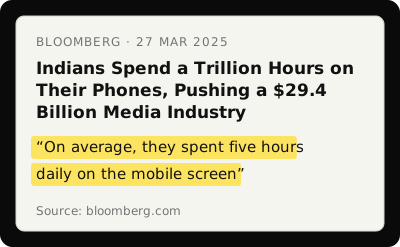
From Bloomberg, 27 March 2025.
In 30 seconds
- ·Look at your numbers for a week before changing anything.
- ·App Limits only hold with Block at End of Limit on and the passcode out of your hands.
- ·Downtime for 10 pm to 7 am removes the two worst hours of scrolling.
- ·Turn off every notification that is not a human. It is the one habit people actually keep.
- ·Charge the phone outside the bedroom.
- ·Any limit you can undo in two taps will be undone. Put distance between you and the undo.
Why cutting back keeps failing
Your phone is built to be easy. A 2022 study in the International Journal of Mental Health and Addiction put it plainly: smartphones are "designed to be easy to use with little friction, which results in appealing products but also habitual behaviour". The same paper notes that in one survey, "only half of Americans trying to reduce their phone use reported successfully doing so".
The word to hold on to is friction. Every change below adds a little of it between you and the feed.
The iPhone settings worth using
1. Turn on Screen Time and look at the numbers
Settings > Screen Time > Turn On Screen Time.
Change nothing for a week. Just look: daily average, most used apps, pickups. "4h 12m on Instagram" as a cold number lands differently from a vague feeling of "too much", and it tells you which three apps to limit.
2. Set App Limits, and turn on Block at End of Limit
Settings > Screen Time > App Limits > Add Limit.
Pick categories (Social, Entertainment) or single apps and set a daily cap. When you hit it, iOS shows a block screen with an Ignore Limit button right there. Most people tap it within seconds.
The fix is Block at End of Limit, which removes the easy override. You can still get past it with the Screen Time passcode, so have someone you trust set that passcode. A five second bypass becomes a conversation.
3. Schedule Downtime for your sleep hours
Settings > Screen Time > Downtime.
Downtime is a window where only calls and the apps you allow still work. Set it for 10 pm to 7 am. Social apps, YouTube and games disappear; Phone, Maps and anything you whitelist stay.
This covers the two moments the phone does the most damage: right before sleep and right after waking. Our phone before bed guide has the sleep research.
4. Use Focus modes for work and sleep
Settings > Focus.
A Work Focus that silences everything except work tools. A Sleep Focus that blocks everything. A Personal Focus that lets actual humans through. Automate them by time or place (your office, your college library) so you never have to remember to switch.
5. Turn the screen grayscale
Settings > Accessibility > Display & Text Size > Colour Filters > Grayscale. Then Settings > Accessibility > Accessibility Shortcut > Colour Filters, so a triple click of the side button toggles it.
It sounds too simple. In a randomised field experiment with 112 people, grayscale led to an immediate, significant drop in measured screen time compared with a control group. Colour is a hook: the red badge, the warm thumbnails. A boring phone gets put down. The full evidence, and why people flip it back, is in does grayscale reduce screen time.
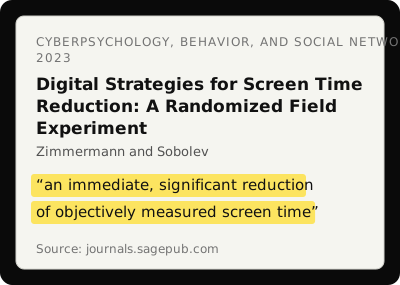
From Cyberpsychology, Behavior, and Social Networking, Zimmermann and Sobolev, 2023.
Three habits with research behind them
6. Turn off every notification that is not a person
Settings > Notifications. Go app by app. Keep calls and messages from humans. Lose app updates, "you haven't visited in a while", and likes on a three year old post.
In the nudge study above, disabling non-essential notifications was the guideline people kept most: 97 percent were still following it at two weeks, and reducing notifications predicted the biggest improvement in problematic phone use. The free notification audit tells you which to cut first.
7. Take apps off the home screen (do not delete them)
Leave Instagram in the App Library, off the dock, off the first page. Searching for it adds a two second pause between impulse and action.
That pause matters. A CHI 2024 study of 1,039 people using an app that adds a short pause before a target app opens found they abandoned about a third of their open attempts. The automatic loop, pick up and open, breaks when there is a gap in it.
8. Charge the phone outside the bedroom
This one change may do more for your sleep and mornings than anything else here. In a Georgetown University study, nearly 500 people blocked mobile internet on their phones for two weeks. They slept about 20 minutes more a night and reported less anxiety and stress; the lead researcher said the gains were larger than the typical effect of antidepressants in clinical trials.
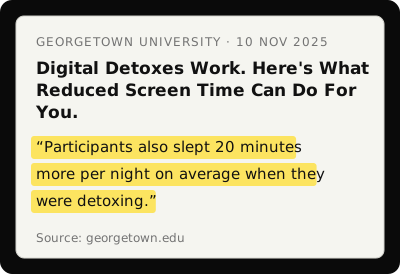
From Georgetown University, 10 November 2025.
You do not need to go that far. If the phone is not next to the bed, there is no 2 am check and no scrolling before you are properly awake. Buy a cheap alarm clock. Put the phone on the kitchen counter.
Why the limits stop working at 11 pm
Here is where most guides stop, and where most people stop too. You hit your App Limit at 9 pm, tap Ignore Limit for Today, and you are back on Instagram. Every time.
The problem is that everything that controls your phone lives on your phone. Undoing your own rule takes zero effort. Apple built that for convenience, and it is terrible for self control.
Behaviour science points the other way. In BJ Fogg's Behavior Model from Stanford, ability (how easy or hard something is) is one of the three levers of behaviour, and it keeps working when motivation is low. Make the bad thing hard and you do not have to be strong at 11 pm.
So what if the undo was physical? What if getting back into Instagram meant walking to the kitchen?
Where bloc fits
That is bloc. A small NFC device with a magnetic back that sits on your fridge, a free app for iPhone and Android, plus bloc for Chrome for websites. In the app you choose the apps that eat your time, and they block on their own: on a schedule you set, say 10 pm to 7 am, or in a session you start in the app.
Open a blocked app and you see a shield screen instead, with a limited peek if you need a quick look. To unblock early, you walk to the fridge and tap your phone on the bloc. The tap only unblocks. Blocking runs on its own.
No Ignore Limit button. No passcode to reset. Just one question: do you want to scroll enough to get up and walk to the kitchen? Often the answer is no, not because you are suddenly disciplined, but because the small physical effort breaks the automatic loop. Bloc Score shows how often you unblock early, and several phones can pair with one bloc, so a family or flatmates can share it. ₹1,699, pay once. See how bloc works.
Where to start
- ·Today: turn on Screen Time and look at the numbers.
- ·This week: App Limits with Block at End of Limit, Downtime for sleep hours, notifications off for anything that is not a person.
- ·This weekend: go grayscale. Move the charger out of the bedroom.
- ·When you want it to hold: a bloc on the fridge, so the undo takes a walk.
The goal is not to never use your phone. It is to use it on your terms, not the feed's.
Sources
- ·Olson and colleagues, "A nudge-based intervention to reduce problematic smartphone use", International Journal of Mental Health and Addiction, 2022
- ·Bloomberg, "Indians Spend a Trillion Hours on Their Phones", March 2025, summarising the EY media and entertainment report
- ·Zimmermann and Sobolev, "Digital strategies for screen time reduction: a randomized field experiment", Cyberpsychology, Behavior, and Social Networking, 2023
- ·Haliburton and colleagues, "A longitudinal in-the-wild investigation of design frictions to prevent smartphone overuse", CHI 2024
- ·Georgetown University, "Digital Detoxes Work. Here's What Reduced Screen Time Can Do For You", November 2025
- ·BJ Fogg, Fogg Behavior Model, Stanford
bloc sits on your fridge. Your apps block on a schedule. Unblocking takes a walk. See how bloc works →
bloc is our product. We make and sell it, so read anything this article says about bloc as the maker's view. Every other claim links to its source.
Spot a mistake? Email support@letsbloc.com. We check it, fix it and update the date above.
Founder of bloc. IIT Kharagpur. Formerly a senior product analyst at BharatPe. Builds bloc full time from Bir, Himachal.
Free tools from bloc
Frequently asked questions
How do I reduce screen time on iPhone effectively?
Start in Settings > Screen Time and look at your numbers for a week. Then set App Limits for your top three apps with Block at End of Limit on, schedule Downtime for your sleep hours, turn on grayscale (Settings > Accessibility > Display & Text Size > Colour Filters), and turn off every notification that is not a person. Finally, charge the phone outside the bedroom. Each change cuts a few pickups a day, and they add up.
Does Apple Screen Time actually work?
It works until you undo it. Every App Limit has an Ignore Limit button, and the Screen Time passcode is yours. Turn on Block at End of Limit and give the passcode to someone you trust, so the bypass becomes a conversation instead of a tap. For a limit that holds on tired nights, add something physical, like a bloc on the fridge.
What's the best way to stop checking your iPhone constantly?
Charge it outside the bedroom and turn off non-human notifications. In a two week study, people who disabled non-essential notifications were the most likely to keep the habit (97 percent at two weeks), and reducing notifications predicted the biggest improvement. Without the phone by the bed, the 2 am check and the first scroll of the morning both disappear.
Ready to stop doomscrolling for good?
Try bloc, the device that actually keeps you off your phone
One-time purchase · Free shipping across India · 30 day replacement guarantee
Order bloc, from ₹1,699